Conversion

How Bounce House Operators Should Structure Package Pages

By BounceOS EditorialUpdated April 29, 20268 min read

For operators turning rental inventory into booked events

A mature package page does more than display a photo and price. It answers fit, safety, delivery, add-on, and booking questions before the customer has to ask.
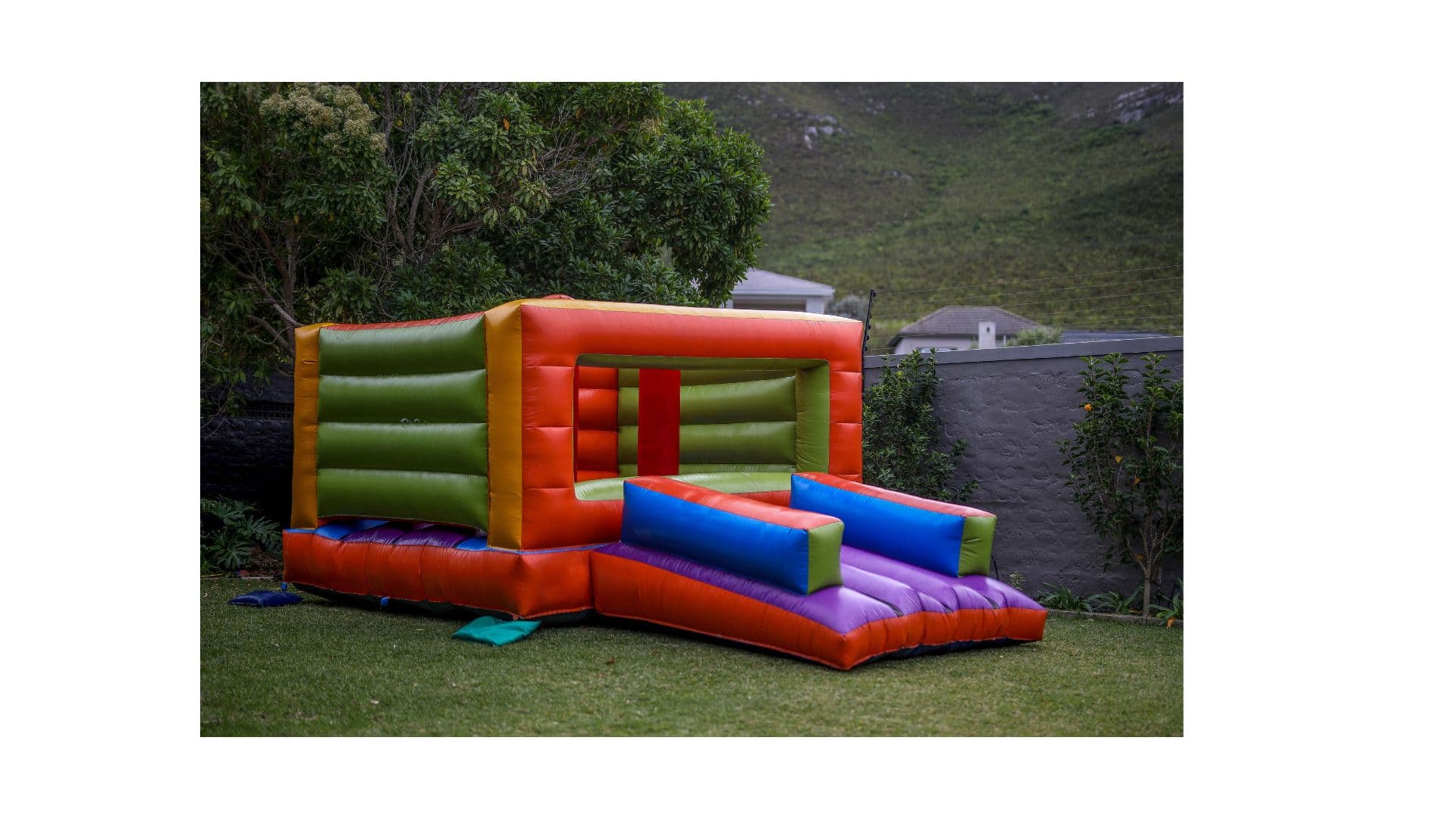
Outdoor inflatable combo unit set up in a backyard

Key takeaways

  • Package pages should reduce uncertainty before the booking form.
  • The best pages combine strong photos, practical specs, policies, add-ons, and a direct next step.
  • Inventory pages work harder when they are written for customers, not just operators.
bounce house package pagesrental package conversionparty rental website copy

Open with the decision-making details

A customer should not have to call just to learn whether a rental fits the event. The top of the package page should show the unit name, category, price or quote expectation, rental duration, capacity guidance, and the primary booking action.

For inflatable rentals, practical details are sales details. Dimensions, required flat space, power needs, surface rules, age range, and setup limitations can be the difference between a confident request and an abandoned page.

If those answers are easy to find, the customer is more likely to request the date instead of sending a vague message on Facebook.

Use photos that prove scale and condition

Photos should show the unit clearly, not just create excitement. Include a clean product photo, a real setup photo when possible, and at least one image that shows scale with people or surroundings.

Avoid making the customer guess whether a combo unit has a slide, whether the entrance is visible, or whether the inflatable looks clean enough for a school or church event.

Premium units need even more visual context. If a white, pastel, or specialty unit is being sold for weddings or styled parties, the page should show why it belongs in that event category.

Explain the rental terms before the form

Many rental pages hide the important terms until after the inquiry. That creates unnecessary back-and-forth and can make the business feel less organized.

Summarize deposit expectations, delivery area, setup surfaces, weather policy, supervision requirements, cancellation handling, and waiver expectations in plain language.

You do not need to overload the page with legal detail. The goal is to set expectations clearly enough that the booking request starts from trust.

Merchandise add-ons like part of the event

Tables, chairs, coolers, concessions, generators, games, and party extras should not feel like an afterthought. They are often what turns a single rental into a larger order.

On the package page, add-ons should be shown in a way that fits the event. A birthday package might pair a combo unit with tables and chairs. A summer package might pair a water slide with a cooler or concession machine.

This is especially important for a budget-friendly platform. Operators need simple tools that help them increase order value without making the customer feel pushed.

Make the next step obvious on mobile

Most customers will scan rental pages on a phone. The page needs clear buttons, readable sections, and a booking action that appears before the visitor has scrolled through every detail.

Use short labels like Start Booking, Request This Date, Call Now, or Text for Details. The right label depends on how the operator actually handles leads.

If the business still confirms manually, the website should say that. A request-a-date flow is honest and useful as long as the customer understands what happens next.

Operator FAQ

Should every rental item have its own page?

Important inventory should have its own page or a detailed listing view. Smaller add-ons can live inside categories or packages as long as customers can understand price, availability, and how to request them.

What details matter most on a bounce house package page?

Price or quote expectation, rental duration, dimensions, setup surface, power needs, service area, photos, add-ons, and a clear booking action matter most.

Should I hide pricing until the customer contacts me?

Some operators quote manually, but the page should still set expectations. If exact pricing varies by distance or event type, explain that clearly so customers know why they are requesting a quote.

Related next steps

Keep building

BounceOS is built to move operators from search traffic to trust to booking inquiry.